

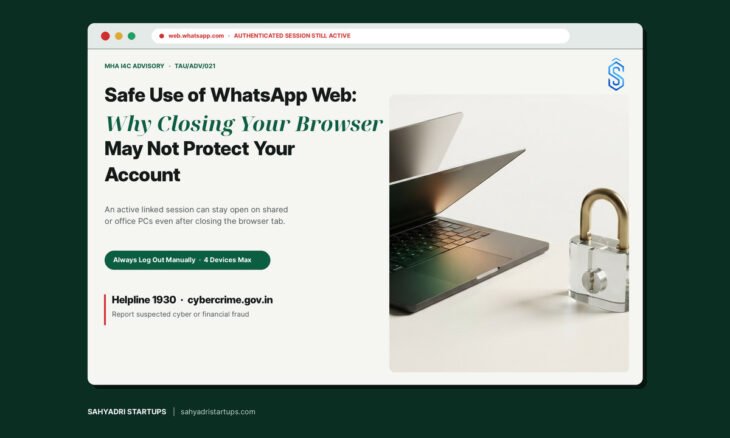
Pune: Closing a browser window after using WhatsApp Web may not be enough to protect a user’s account, as an authenticated session can remain active and accessible to others using the same computer.
India’s cybercrime authorities have flagged this risk, warning that unattended sessions could expose private conversations and allow criminals to impersonate account holders.
The National Cybercrime Threat Analytics Unit (NCTAU), part of the Indian Cyber Crime Coordination Centre (I4C) under the Ministry of Home Affairs, issued the warning in an advisory on safe use of whatsApp web dated 18 November 2026.
It cautions against leaving WhatsApp Web logged in on office computers, shared systems and public devices.
The advisory, numbered TAU/ADV/021, states: “an authenticated WhatsApp Web session may, under certain circumstances, be misused to gain unauthorized access to a user’s WhatsApp account.”
An active session could allow an unauthorised person to read messages, send communications in the account holder’s name, access contacts and group conversations, and exploit the account’s trusted identity for phishing, financial fraud and social engineering.
The concern is particularly relevant in workplaces and shared computing environments, where users may leave accounts accessible after completing their work.
I4C Issues Seven Precautions for WhatsApp Web Users
The cybercrime unit has recommended that users reconsider how and where they access WhatsApp Web, particularly when handling confidential or sensitive information.
Its recommendations include:
Log out after every session: Closing a browser tab or window does not necessarily terminate an authenticated session. Users should manually log out before leaving the computer.
Avoid permanent login sessions: Do not keep WhatsApp Web continuously logged in, especially on office or shared computers.
Stay away from public computers: Avoid accessing accounts through cyber cafes, public kiosks, hotel business centres, borrowed computers and other untrusted systems.
Use private browsing cautiously: When temporary access is unavoidable, use Incognito or Private Browsing mode on a trusted computer and manually log out afterwards.
Keep sensitive information off computer sessions: Avoid exchanging government, organisational, financial and confidential information through WhatsApp Web on computers.
Watch for unusual activity: Unexpected messages sent from an account, unusual replies from contacts and unexplained account activity could indicate unauthorised access.
Maintain device security: Keep operating systems, browsers and security software updated. Avoid suspicious downloads, unknown files, cracked software and untrusted content.
For organisations handling official or confidential information, NCTAU recommends avoiding WhatsApp Web on office systems. It also cautions that private browsing is only an additional precaution and should not be treated as a complete security measure.
The advisory concludes: “Stay Alert. Log Out After Every Session. Protect Your Digital Identity.”
Safe Use of Whatsapp Web: Why an Active Session Can Be a Security Risk
WhatsApp Web works through the messaging platform’s linked-devices feature, which allows users to access their accounts from computers and other devices without repeatedly connecting through their phones.
According to WhatsApp’s Help Center, an account can have up to four linked devices at a time. Each linked device maintains an independent connection, while personal messages, media and calls remain end-to-end encrypted.
However, encryption does not eliminate the risk associated with an unattended, authenticated device. If a user leaves WhatsApp Web logged in on a computer, someone with subsequent access to that system may be able to use the existing session.
WhatsApp provides an option to review linked devices through its mobile application. Users can check which computers and devices are connected to their accounts and log out of sessions they no longer recognise or need.
Regularly reviewing this list, particularly after using a shared or workplace computer, can help users identify sessions that should no longer remain active.
How to Report Cyber Fraud in India
The advisory comes from I4C, the Ministry of Home Affairs’ national-level coordination body for cybercrime-related issues. Established on 5 October 2018, the centre coordinates initiatives aimed at strengthening India’s response to cybercrime.
Its seven components include NCTAU, the National Cybercrime Reporting Portal, the Platform for Joint Cybercrime Investigation Team, the National Cybercrime Forensic Laboratory Ecosystem, the National Cybercrime Training Centre, the Cybercrime Ecosystem Management Unit and the National Cyber Research and Innovation Centre.
I4C also conducts public awareness campaigns through its Cyber Dost initiative.
Citizens can report cybercrime through the National Cybercrime Reporting Portal at cybercrime.gov.in.
The portal also provides access to a Suspect Repository containing identifiers associated with suspected cybercriminals, including mobile numbers, email IDs, bank account numbers and URLs.
For suspected financial cyber fraud, individuals can contact the national helpline 1930.